Overall Rating.

Conducting quizzes for your students is a great way of engagement method especially when they are really down watching online classes and webinars. We have come up today with a free tool we found while surfing the internet. It’s good but not great actually, but you can get your quiz covered at no cost. This website allows users to make free quizzes with a lots of customisations.
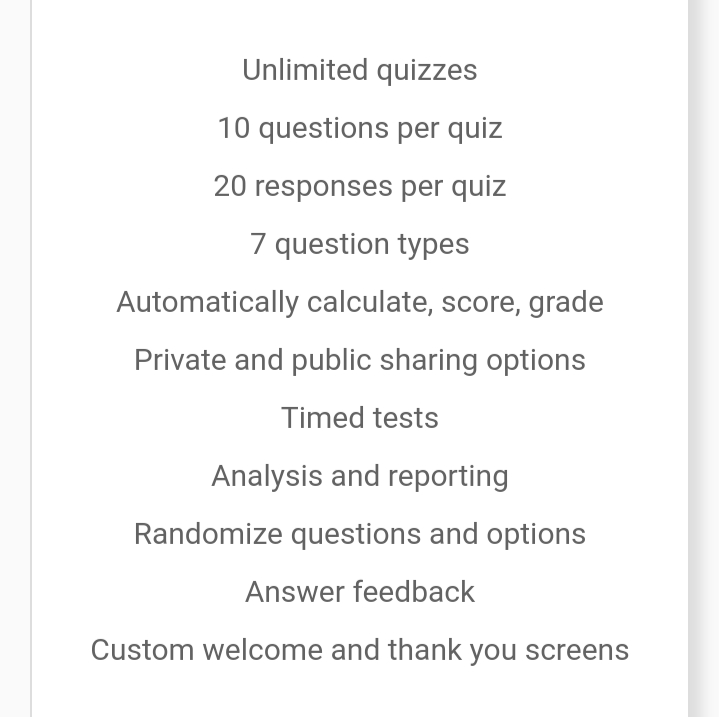
We’re talking about the free plan readers and if you’re opting for some paid plan then we recommend you to go for SurveyMonkey. Even SurveyMonkey has a free plan but it doesn’t come with many customisations as this FlexiQuiz. Their free plan covers these features 👇.
Create an account and try creating one quiz, just try your hands on it. There are several other options like multiple choice, picture choice, fill in the blanks etc which makes this tool really great. You can add additional options and allot points to the right answers too.
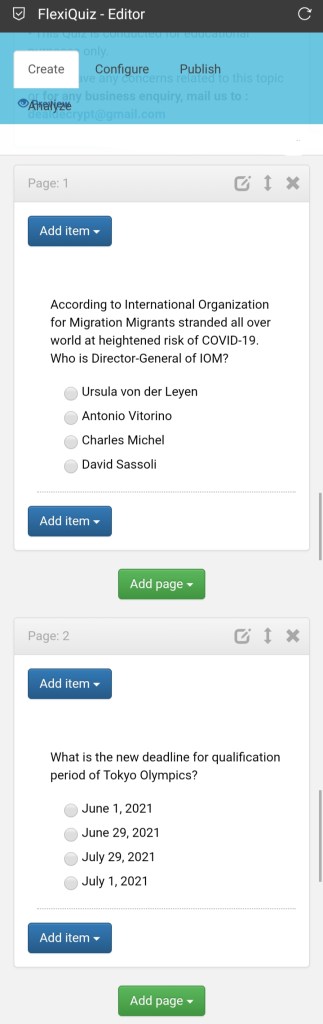
A lot different options and customisations make this website a good choice in free plan. For example, a professor/teacher can create Question Papers using this like… In the question field type any question “Explain the big Bang theory” and select from the drop down “free text”.

The configuration menu looks like this and there a whole lot of options. Grading helps you to fix a pass percentage to your quiz. Results tab helps you to customize result delivery to the mail(premium). Certificate tab lets you to create certificates for the winning contestants (premium). Rest all are also in premium category.

When you click the “configure” button this page pops up. You set the quiz name here, Set time limit for the quiz, randomize questions, schedule the quiz etc.

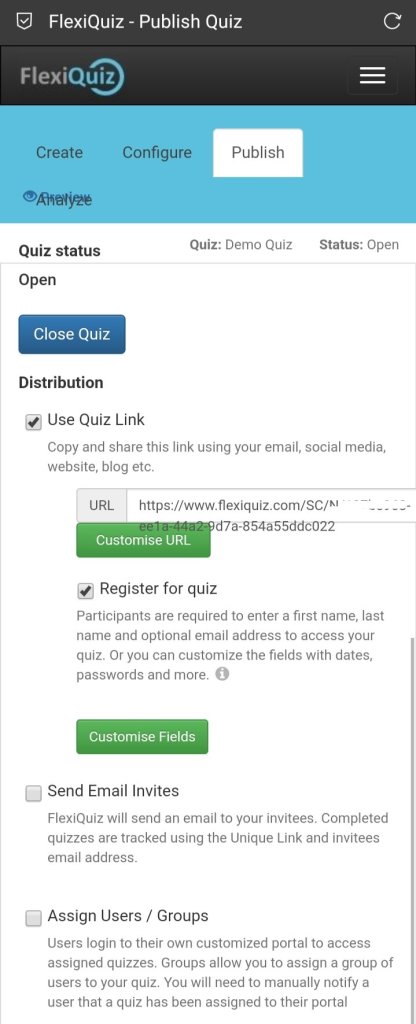
The Publish tab looks like this👇. You can generate the link here. You can customize the Registration page too here. You can invite some selected participants through mail by using option “send Email invites“. You need to enter the participants mail address here and thus only they can play the quiz.
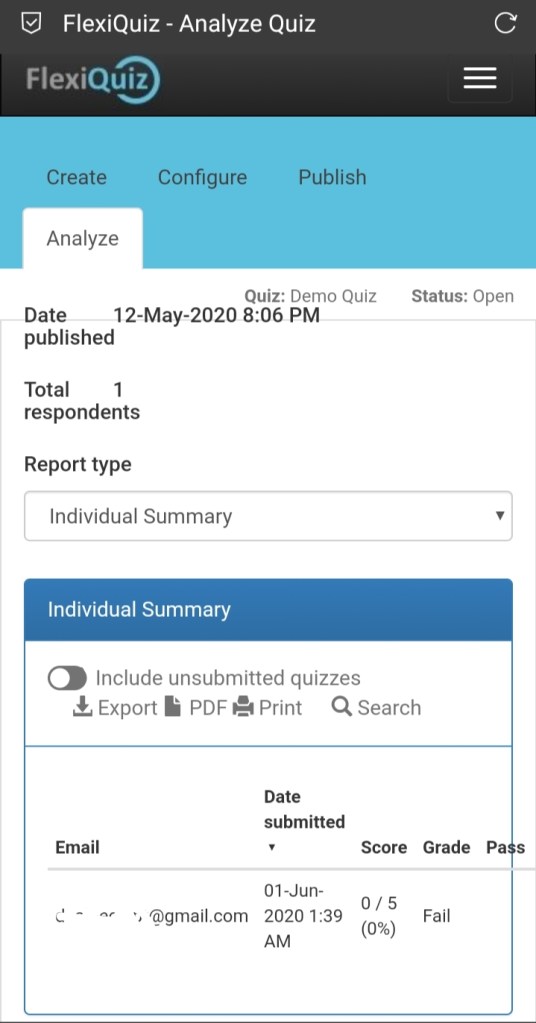
The “Analyse” tab👇 provides you with the information on submitted entries. You can create reports, covert to pdf and do many other interesting things.
Try creating a quiz for your kids, create a timed quiz so that it’ll be equally challenging. Try creating quiz for your students if you’re a Teacher/Professor. Make use of this lockdown by exploring similar simple tools.
 LegitWater®